ARTEMIS SPORTSVERSE
SPORTS MANAGEMENT
2026
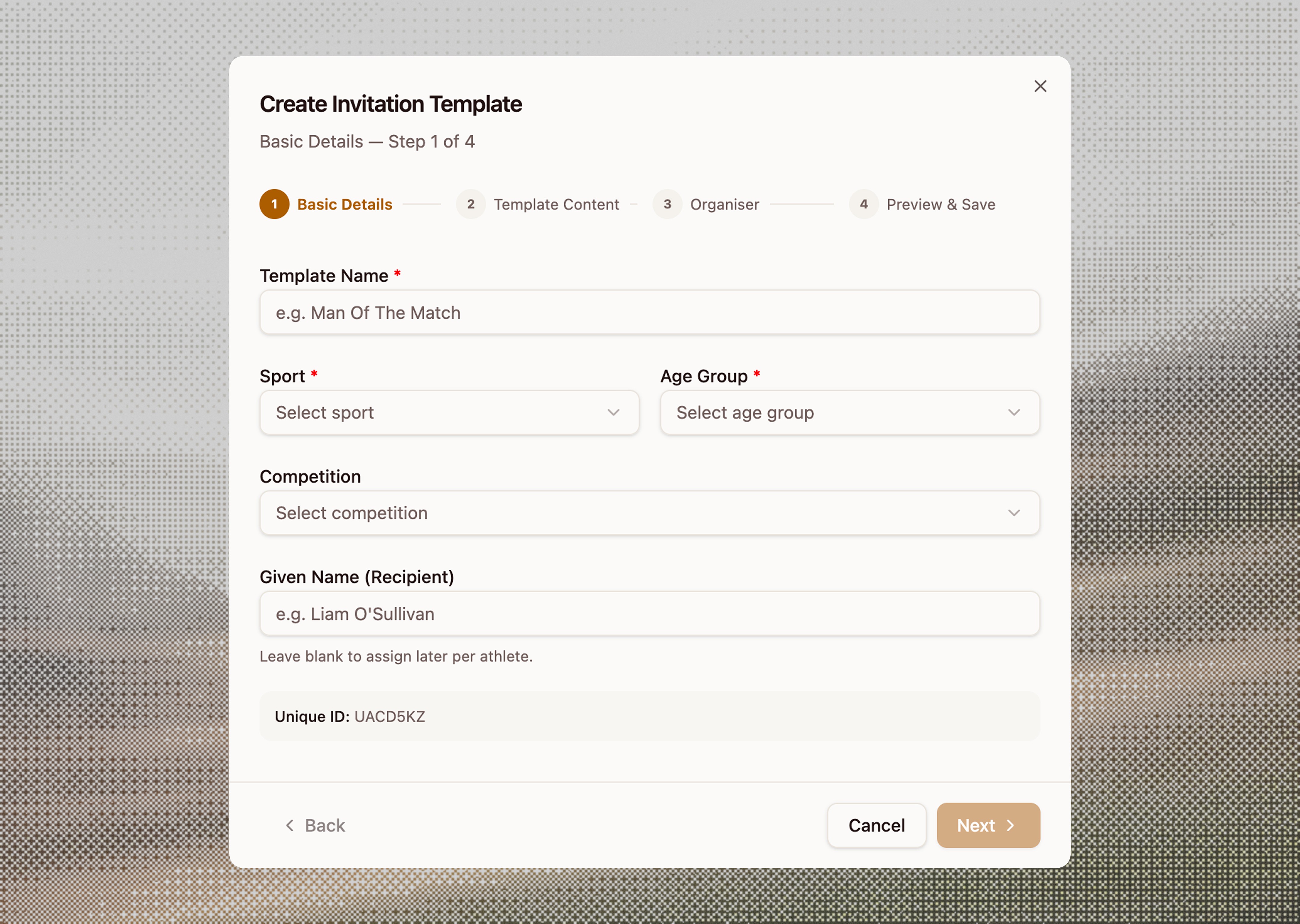
[ENTIRE PROJECT UNDER NDA. SCREENS ARE VIBECODED BASED ON PROJECT AND DOES NOT DEPICT ACTUAL UI]
ROLE
Product Designer
DELIVERABLES
End-to-end flow + Component Specs
STAKEHOLDER
UAE Ministry of Sports
SKILLS
Information Architecture
Multi-Step Forms
Prototyping
OVERVIEW
The UAE Talent Identification Programme exists to surface promising young athletes from school competitions and connect them with national pathways — UAE Golden Visa eligibility, elite academies, and government-backed support. The vehicle for this is the Talent ID Invitation Letter: a bilingual (Arabic + English), government-stamped document that's formally issued to each qualifying athlete after a benchmark event.
Before this feature, letters were produced manually using Word templates, copy-pasted athlete names, and printed in batches. Ministry officials and federation coordinators had no centralised tool to create, customise, or track these letters. The goal was to bring the entire lifecycle creation, personalisation, preview, and print into the existing MOS Talent ID dashboard.
THE PROBLEM
Officials had no way to associate a letter template with a specific competition, sport, or age group — every letter felt generic
Athlete names had to be added manually after printing, with no tracking of which IDs had been assigned
Different event organisers (Ministry vs federations) needed different letterheads, but there was no way to set that per-template
There was no preview step before printing — officials only discovered errors after letters were already printed in batches
THE APPROACH
The most deliberate early decision was the sequence of the four steps. The instinct is to follow a linear form wizard, but I reordered the steps based on cognitive load and commitment.
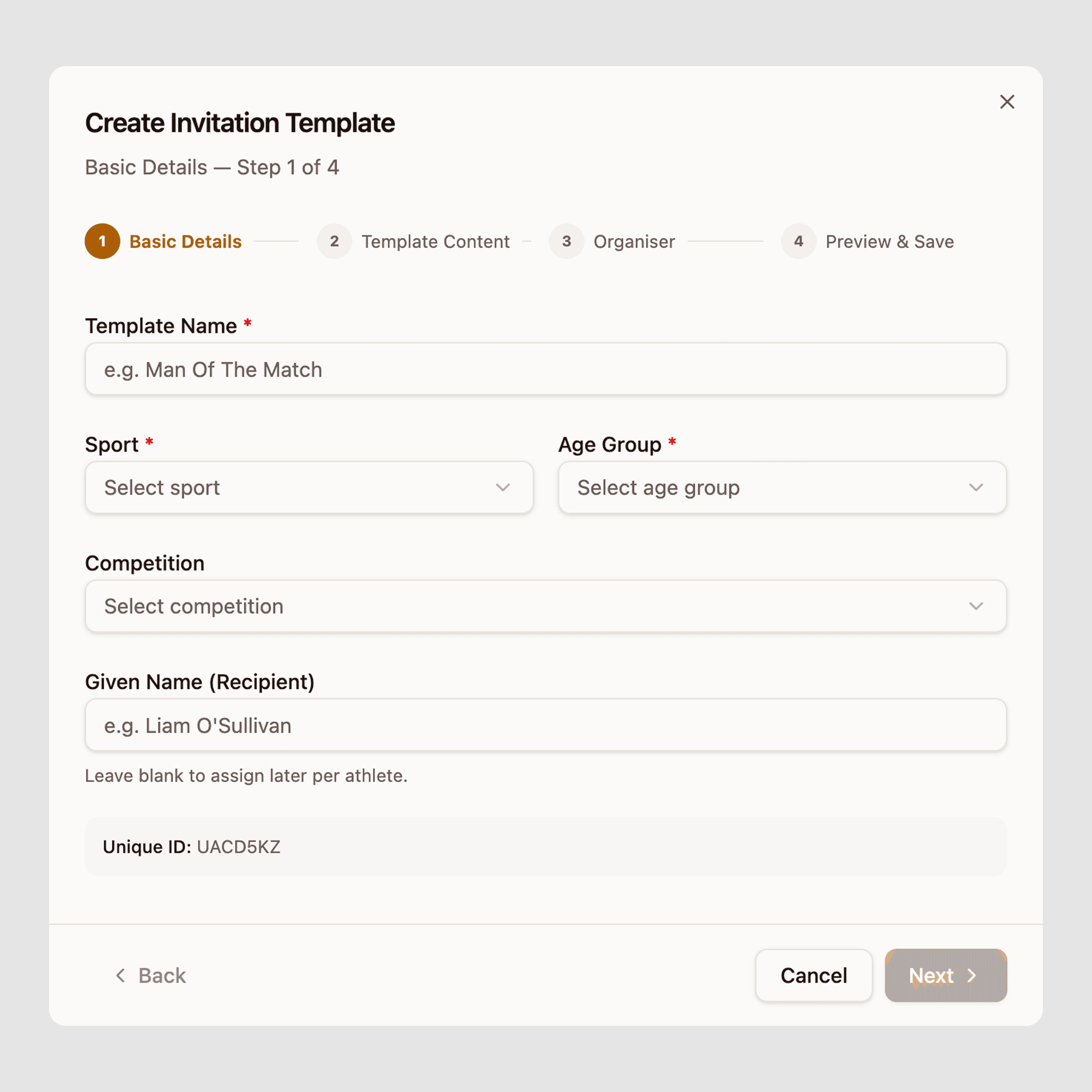


EDGE CASES
Mid Flow Exit
If a user closes the sidebar after completing step 1 or later, the system auto-saves a draft. The row appears in the table with a "Draft" badge and a resume prompt on next open. No work is silently lost.
Switching organiser type mid-edit
If a user toggles from Ministry to External Party after editing the body content, a warning confirms that the logo slots will reset. Body content is preserved.
Unfilled personalisation tags at preview
if the body still contains unresolved tags when reaching step 4, the preview highlights them in amber with a count ("2 tags not yet filled"). The user can still save as a template — tags are designed to be resolved per-athlete, not at template creation time.
Missing logos
If a federation is selected in step 2 but has no logo uploaded to the system, a placeholder with the federation's initials is used. The preview panel shows this clearly so officials can flag it to an admin before printing.

THE OUTCOME
4
Structured steps replacing a single freeform Word document process
0
Letters printed without a named athlete, thanks to blocking validation
Draft
Auto-save on exit — no template is ever lost mid-creation
The feature also created a trackable record of every issued invitation which was previously invisible to the platform. Each letter is now linked to a Unique ID, a competition, a sport, and (once assigned) an athlete, giving the Ministry an audit trail for the Talent ID pipeline.